Find the number of orders per month
Answered

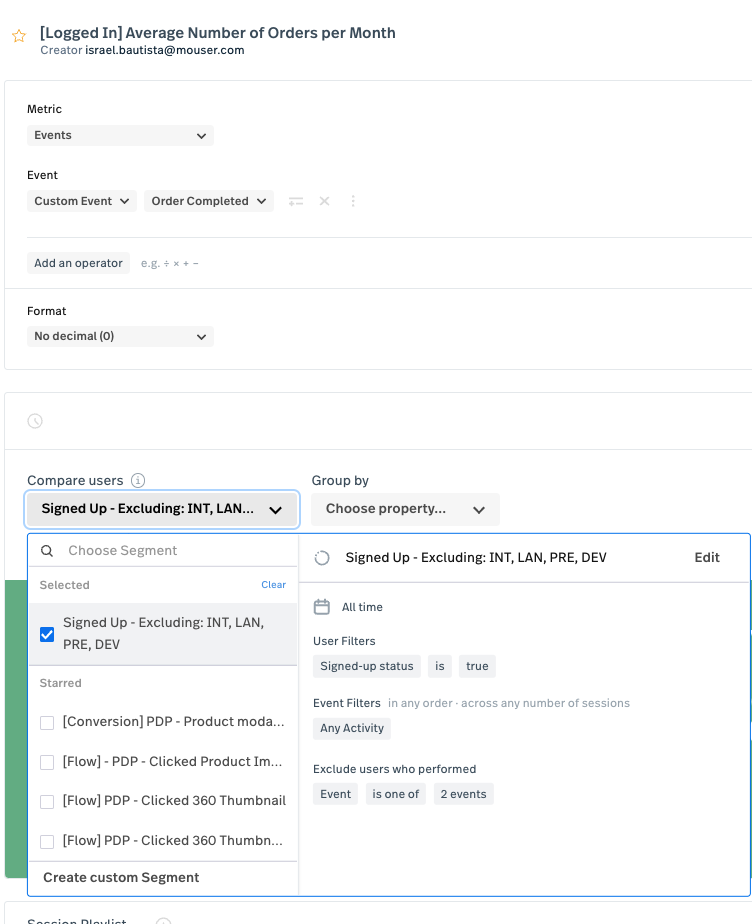
I’m trying to find the number of orders placed in a month by users that are logged out vs those that are logged in. I have segments created for each of those two groups but not sure the events I have are correct. This is what I have for the logged in (Signed up) segment. Would that give me the number of orders? or the revenue? I’m not sure since the “order completed” event has 3 events firing
0
Comments
11 comments
Good question! You currently have your Metric configured to measure the count of unique events. Specifically, your Metric will show the total number of times the Custom Event “Order Completed” occurred for your segment and time period. Assuming your Custom Event “Order Completed” fires each time an order is placed, this Metric would show the total # of orders placed in a given time period.
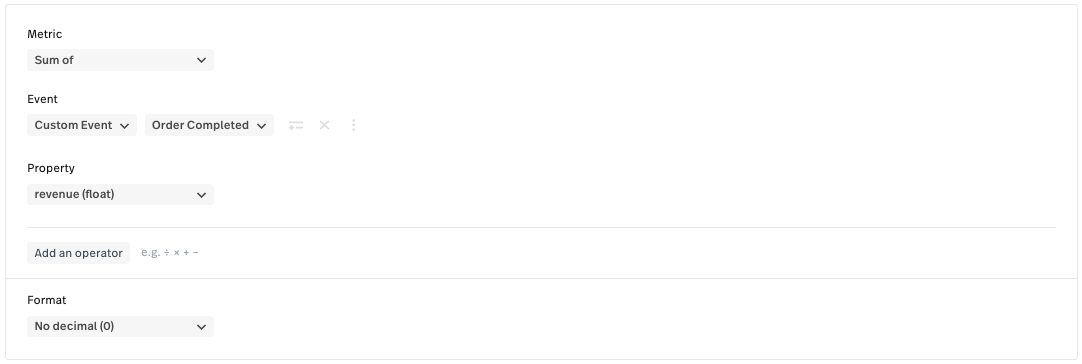
If you were interested in the total revenue of those orders, you could configure your Metric to measure the Sum of the revenue from your Custom Event. Here’s an example of how to build that Metric. As a note, this Metric requires that revenue is a property associated with your order completed Custom Event.
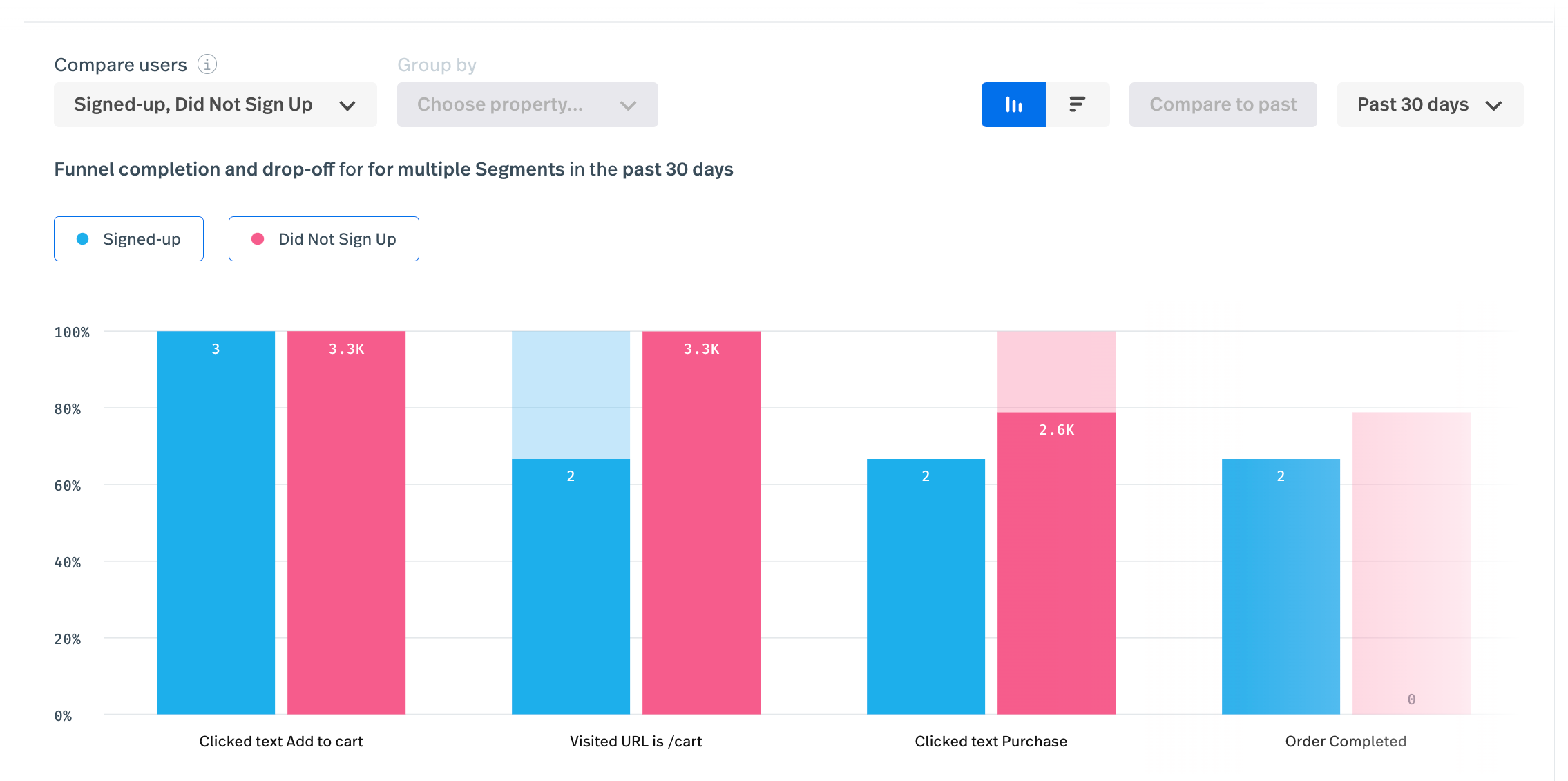
@DataSeed99 I’m confident you thought of this as well, but I would analyze this in Funnels so you can compare those two different segments groups AND see their respective drop off. Best of luck! (Example below, not real data.)
hello, just trying to see if anyone has come across a good way to do this?
thanks
Hi Israel Bautista !
Thank you for bringing this to our attention.
You can continue to use this metric set up for Events → Order Completed and Group by API Event.
The results will show you the number of Order Completed events.
You can create a metric for each segment you want to utilize and then add them to a single dashboard which would allow you to see both metric results in the same view for comparison.
Hope that gets you closer to what you need! We'll be here if you have any other questions.
Best,
Amy
Thank you Amy Vo I'll try that :)
as a follow up question, I'm trying to find the average number of orders per month per customer. Seems to figure it out I would need to know two things:
- Total paid orders per month
- Total active customers per month
ave. orders per month per customers = Total paid orders per month / Total active customers per month
I'm creating two metric cards. For “Total paid orders per month”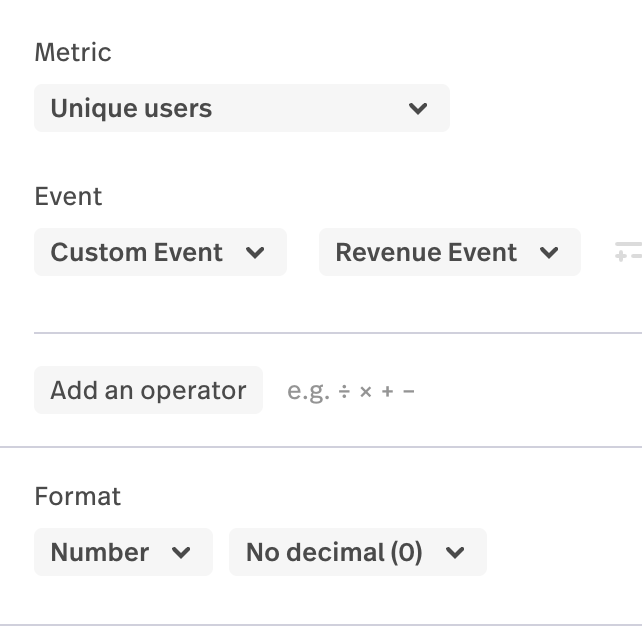
For: “Total active customers per month”
I'm not 100% sure about this second metric… seems “Any Activity” would be the correct event as I'm trying to find the number of “active customers”. Do you see anything wrong in the way I'm trying to do this? Is there a better way to do it?
Thanks
Hi Israel Bautista ! Thanks for your reply here.
For the total paid orders per month metric, I'd suggest sorting this metric by ‘Events' instead of ‘Unique Users’ so you're accounting for each time a purchase is made, rather than simply looking for unique users who made at least one purchase.
Another option could be to combine these into one metric that looks something like this:
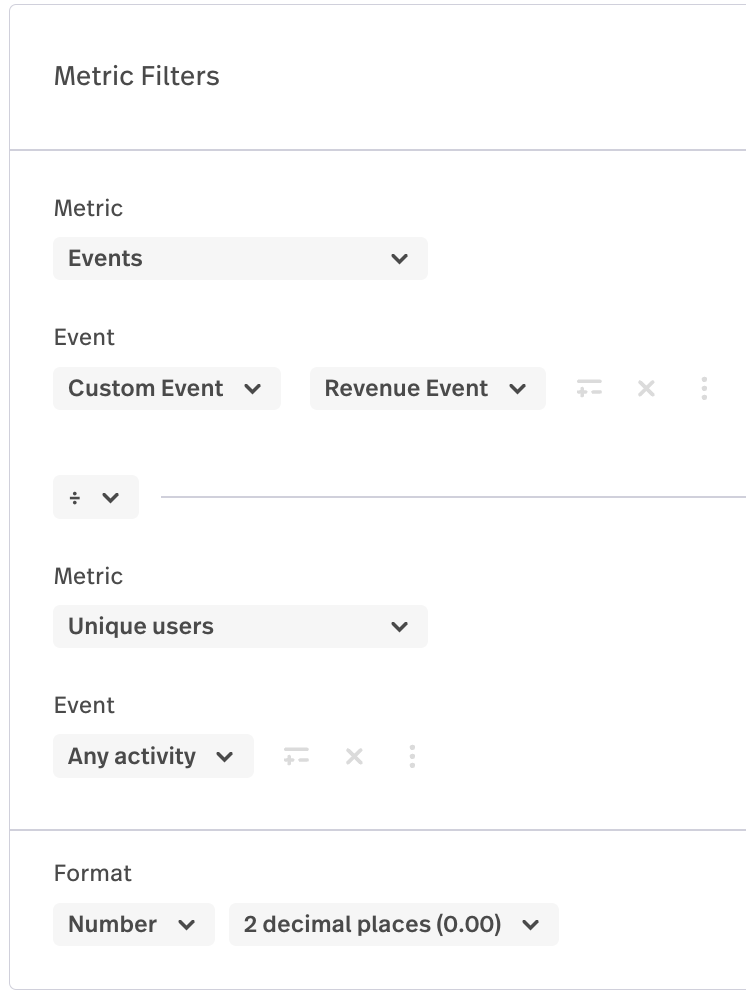
‘Any Activity’ is the way to go if you're looking for any user that has been captured in Fullstory.
Let us know if you have any other questions about this!
Thank you Tym I've adjusted the metrics, I did tried what you recommended above but I'm getting a very low number I know isn't quite right. I'm getting 0.04 which makes it sound as customers don't complete a whole purchase, which is very weird…I wasn't sure using an operator for this would get me the right number
Hi Israel Bautista ,
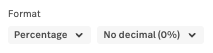
Thanks for coming back to us! It sounds like you need to change the number format to show as a percentage of users:
However, I'm going to create a support ticket so we can take a closer look at your account and make sure things look ok :-) We will be in touch again soon via email.
thanks Gemma but I don't know if changing that to a percentage would accurately describe the number of purchases per per per customer. If I switch to percentage I get 7%….but the number is meaningless to me…this seems like such a common thing to be able to discover on an e-commerce site that I would assume FS would make available in one of the Dashboard templates.
Hello Israel Bautista
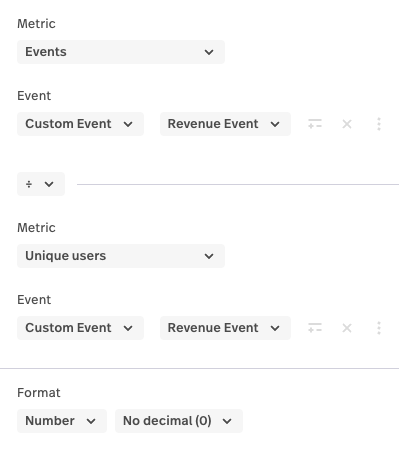
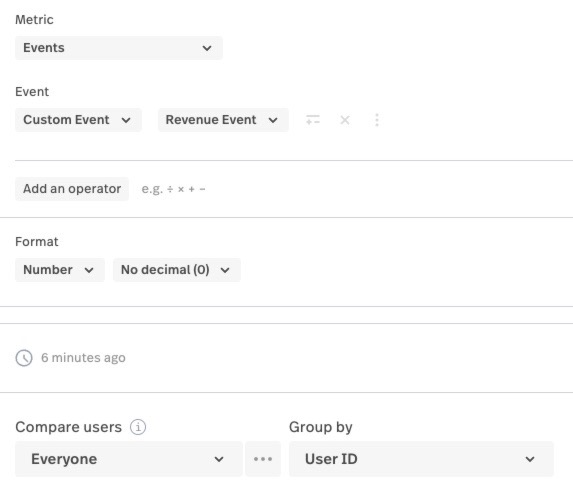
Thanks for letting us know my suggestions hadn't quite hit the mark. Let's see if we can do better!
If you're looking for the average number of orders per customer who placed an order, perhaps a metric like this would be helpful:
To see the top 50 customers who placed the highest number of orders, you could try using a metric similar to this:
As metrics are designed to show the top 50 results, to get deeper into the data you may need to consider using the Data Export feature instead.
If the above suggestions still aren't quite scratching the itch for customers per order, is it possible you can reply to the latest support ticket we emailed you on recently with some more details and a link to the latest metric you're working on? Can you show us how you would make up the calculation and maybe what result you're expecting and we'll take a closer look to see what we can recommend.
That said, I hope the above suggestions are useful and you have a great week ahead :-)
Gemma
Please sign in to leave a comment.